Web Tools · Valuation and cap table
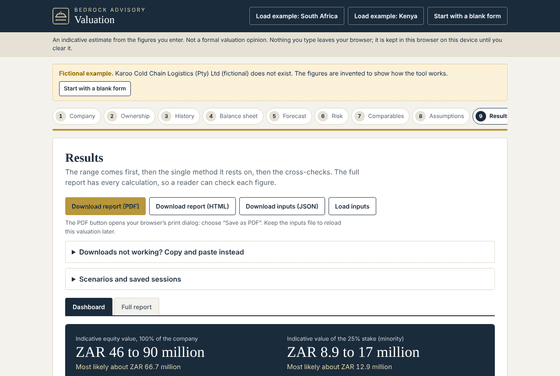
Bedrock Valuation
Value a private African business with DCF, multiples and asset methods.
- Web tool
US$90about R 1 530, charged in rand at checkout.
Model rounds, SAFEs, notes and options, and see who gets what at exit.
Model rounds, SAFEs, notes and options, and see who gets what at exit, after tax, in your browser.
The tool opens in your browser from My downloads after you pay. It works on a desktop, laptop or tablet. Your figures stay in your browser.
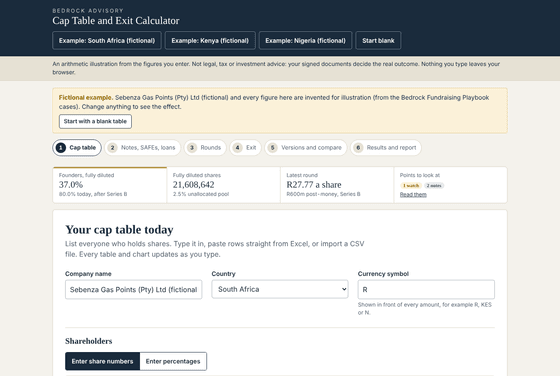
Pages from the worked examples. Companies in the examples are fictional.
Your unlock code is shown on screen straight after payment and emailed to you. It opens My downloads, where you open the web tools in your browser. Access and updates last 12 months.
Prices are listed in US dollars. You pay in South African rand at the day’s exchange rate, which your cart shows before you pay and which is fixed for your order when you press Pay. If your card is not in rand, your bank converts the charge at its own rate.
You may use, copy and adapt it for your own business, including its group companies and the advisers working on its affairs. You may not resell it or share it with other businesses.
Email us within 14 days if a file is faulty or materially not as described, and we will fix it or refund you in full. Your rights under the Consumer Protection Act are not affected.
In your browser. You can save your inputs to a file and load them again later.
Something else? Email information@bedrockadvisory.africa.
Web Tools · Valuation and cap table
Value a private African business with DCF, multiples and asset methods.
Web Tools · Valuation and cap table
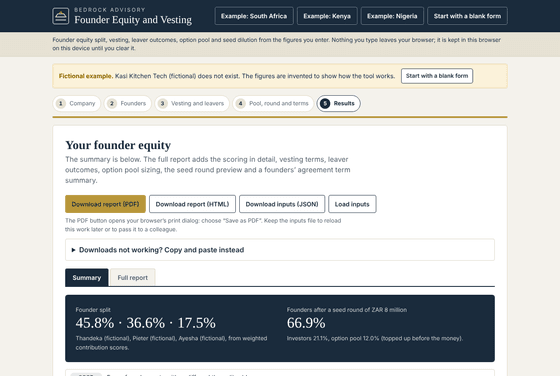
Split founder equity by contribution, set vesting and leaver terms, and size the option pool.
Web Tools · Forecasting and planning
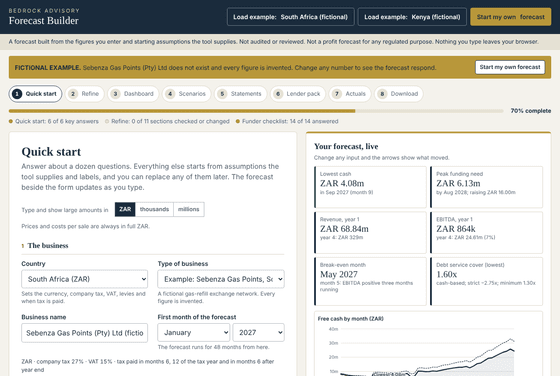
Build a three-statement forecast with African tax defaults and a lender report.